
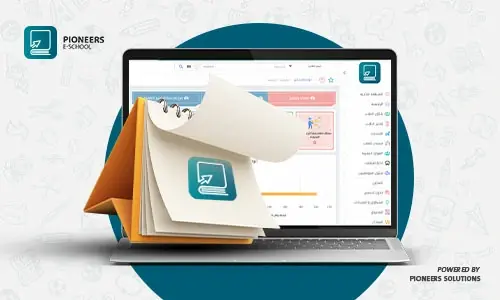
Review accounts, student records, results, assets, and reports, then archive and carry data forward with Pioneers E-School while connecting finance, student affairs, exam control, and admissions. School-year closing is the set of procedures used to review student records, results, accounts, documents, and assets before closing the current year and opening a new one. The goal is to preserve records, carry forward accurate data, and identify missing information before the new operating cycle begins. Before closing the year, each student record should be complete and the final academic status should be approved. Early review prevents incomplete data from being carried into the new academic year. The student affairs data management system helps schools manage records, results, promotion, and archiving in one database. School-year closing is incomplete without reviewing each student’s financial status. Match assigned fees with paid, outstanding, discounted, and refunded amounts, then prepare the balances needed for the next year. Private school accounting software for fees, installments, and general accounting explains how student accounts connect with financial reports. The finance team should review entries, revenue, expenses, and balances before approving the completed year. The system supports review of treasuries, banks, cost centers, and entries by branch and period. The school accounting management system provides the chart of accounts, entries, treasuries, banks, and reports needed for financial review. Archiving does not mean deleting data. It means preserving it in an organized format that can be retrieved when the school needs a certificate, document, or historical record. Separate active records from the records that belong in the archive. After results are approved, successful students can be promoted to the next grade while graduating, repeating, and transferring cases are identified. An organized promotion process prepares class lists without rebuilding student records. The new year starts by preparing the academic, administrative, and financial structure. Define stages, grades, classes, fees, schedules, and permissions before accepting new students or carrying current students forward. The School Management System SMS helps coordinate these modules from one platform instead of operating each department separately. No. The process archives the completed year and preserves it while preparing records for the new year. Yes. It includes student accounts, installments, entries, treasuries, banks, balances, and reports. The system supports updating grades and academic statuses after results are approved according to school settings. Call 01003282220 or contact the team on WhatsApp to see the school-year closing workflow.Closing the School Year: Organized Steps to End the Year and Start the Next One
What Does Closing the School Year Mean?
1. Review Student Records and Results
2. Review Student Accounts, Fees, and Installments
3. Close General Accounts and Review Balances
4. Archive Graduating Students and Records
5. Promote Students to the Next Grade
6. Prepare the New Academic Year
Quick School-Year Closing Checklist
Benefits of an Integrated System for Year-End Closing
Frequently Asked Questions
Does closing the year delete student data?
Does the process include financial accounts?
Can students be promoted to the next grade?
How can I request a demo?
 share:


Related Articles

2024-01-24
Mohamed Abdelsalam
comprehensive guide use of technology in education
Technology is a set of tools and means that help a person improve his life and facilitate his work. Among the areas of use of technology, education is...
2023-05-13
Amgad Hassanain
What is an LMS in Education | why all schools should use it
In our current era, educational institutions are in dire need of a Learning Management System (LMS) to achieve efficiency and quality in the education...
2026-09-13
Mohamed Abdelsalam
School Management: Complete Guide to Functions, Styles & ERP
Quick Article Takeaway: What is School Management? The strategic process of coordinating human, financial, physical, and digita...