
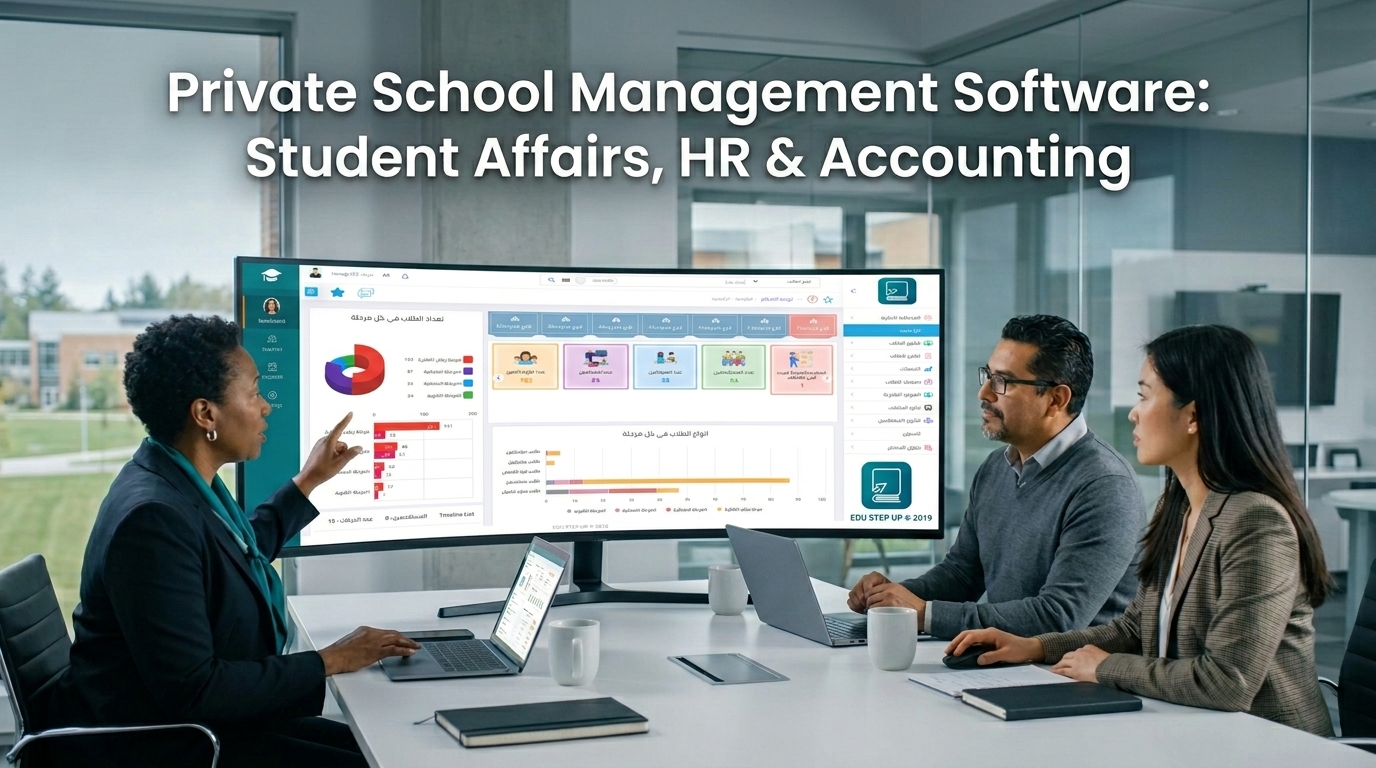
Private School Management Software for Students, Staff, and Accounting
A complete guide to choosing the right school management system, understanding the difference between a free school management program and an integrated solution, and seeing how Pioneers E-School helps you manage student affairs, staff affairs, and school accounting from one platform.
Quick Summary
- The problem: Schools that rely on Excel sheets or separate tools face delays, more errors, and harder follow-up.
- The solution: A complete school management system that connects student affairs, staff affairs, school accounting, reports, and communication.
- What really matters: Not only searching for free school management software, but choosing a secure, scalable system that supports growth.
- Practical choice: Pioneers E-School, because it brings educational, financial, and academic management together in one platform.
Table of Contents
- What is a school management system?
- Why does a school need an integrated system?
- Is free school software enough?
- Core modules inside any school system
- How does Pioneers E-School manage student affairs?
- How does Pioneers E-School manage staff affairs?
- How does Pioneers E-School manage school accounting?
- Comparison with competitors
- Related topics for school management
- Return on investment and conversion
- Frequently asked questions
- How to get started
What is a School Management System?
A school management system is a digital platform that helps a school manage data and daily operations from one place. Instead of keeping student affairs in one file, staff affairs in another, and accounting in a separate program, everything is brought together in a connected environment that makes management easier and reduces waste.
That is why many school owners search for a school management system when the workload grows and manual follow-up becomes less effective.
Why Does a School Need an Integrated System?
Is Free School Management Software Enough?
Searching for free school management software or download free private school management software may seem attractive at first, but free tools are often very limited, less secure, not scalable, or unsupported when you need help.
A free school accounting software solution may work for a very small task, but it usually does not connect accounting with student affairs and staff affairs, and that is where the real problem starts.
Core Modules Inside Any School Management System
Any successful school management system should include clear modules, especially:
- Student affairs
- Staff affairs and HR
- Accounting and fees
- Exams and control
- Communication with parents
- Reports and dashboards
- LMS learning management system
How Does Pioneers E-School Manage Student Affairs?
The Student Information System SIS inside Pioneers E-School provides a central database for every student record from admission to graduation. It covers registration, attendance, results, academic records, and any data linked to the student inside the school.
When a school looks for an integrated school system analysis, the first requirement is unified student data that is easy to search and connected to the rest of the administration.
Manage admission files and new students in an organized and fast way.
Track attendance and absence in real time.
Show student performance in clear reports.
Connect parents to the most important information when it matters.
For a deeper look, What is the Student Information System explains how student data is handled inside the system, while School Management System SMS shows the full school administration picture.
How Does Pioneers E-School Manage Staff Affairs?
Staff affairs are just as important as student affairs. The School Management System inside Pioneers E-School manages employee files, HR, salaries, attendance, leave, and evaluations through the same platform.
Digitally archive teacher and administrator records securely.
Link attendance with schedules, salaries, and deductions.
Calculate due amounts more accurately.
Manage performance evaluations and leave in one unified record.
This part is essential if the school wants professional school management while reducing paperwork and separate files.
How Does Pioneers E-School Manage School Accounting?
The accounting module is the financial heart of the system. In Pioneers E-School, fees are linked to students, payments are connected to the treasury, and financial reports appear in real time so management can see the real financial position without waiting until the end of the month.
Track student installments and overdue payments.
Issue clear and accurate receipts for every payment.
Monitor cash flow and balances in real time.
Review revenue, expenses, and budgets quickly.
The School ERP Features page shows how the system connects administration, finance, and learning in one complete experience.
Comparison with Competitors
When comparing competing solutions, you usually find one of three patterns:
- Limited free tools: useful for a first trial, but weak in security and scalability.
- Partial tools: handle only one task, such as student affairs or accounting, but do not connect everything.
- Integrated ERP platforms: like Pioneers E-School, where all departments are managed from one place.
| Item | Free software | Partial software | Pioneers E-School |
|---|---|---|---|
| Security | Weak | Medium | High |
| Integration | Limited | Partial | Complete |
| Support | Weak or none | Varies | Professional and ongoing |
| Conversion | Low | Medium | High |
Related Topics for School Management
If you are comparing solutions, these related pages help you build a clearer picture of how the school management system works and how each module fits together.
- School Management System SMS
- Student Information System SIS
- Learning Management System LMS
- How Pioneers E-School supports smart learning
- About Pioneers E-School
This internal linking takes you from the general system overview to the practical modules and then to the detailed pages for each part of the platform.
Return on Investment and Conversion
When a school looks for an integrated school system analysis, it is not only searching for features, but for outcomes. The real result is less time, fewer errors, better accuracy, higher parent satisfaction, and greater efficiency for the administrative team.
Frequently Asked Questions
Free software can be a good start, but it usually is not enough for a private school that needs security, integration, and ongoing support.
An integrated system connects all departments together, while a partial tool serves only one part of the work.
You can contact the team directly at 01003282220 by phone or WhatsApp to request a demo.
Start Now with Pioneers E-School
If you are looking for a school management system that connects student affairs, staff affairs, and school accounting in one platform, this page gives you the complete picture to make the right choice.
 share:


Related Articles

2023-03-14
Amgad Hassanain
How to Design School ID Card Using Pioneers E-School System?
The school ID card is an important tool in the educational system, containing personal and academic information for students, and provides multiple fe...

2023-04-05
Amgad Hassanain
Top 6 advantages and disadvantages of online learning
Online learning (or distance learning) is one of the most widespread trends in the education field in recent years. This spread is attributed to the t...
2026-05-06
Mohamed Abdelsalam
Egypt Government Initiatives for Smart Learning | Private Schools Guide
Egypt’s education sector has witnessed a major shift in recent years. The government is moving steadily toward building a digital education syst...